Standings, relative, fuel, telemetry, radar and wind on top of iRacing, plus stream overlays for OBS, a fuel calculator and the iRacing events calendar. One light app, your layout.
Move and resize every overlay, choose its columns and their order, and set the background transparency. Your settings follow you to the stream.
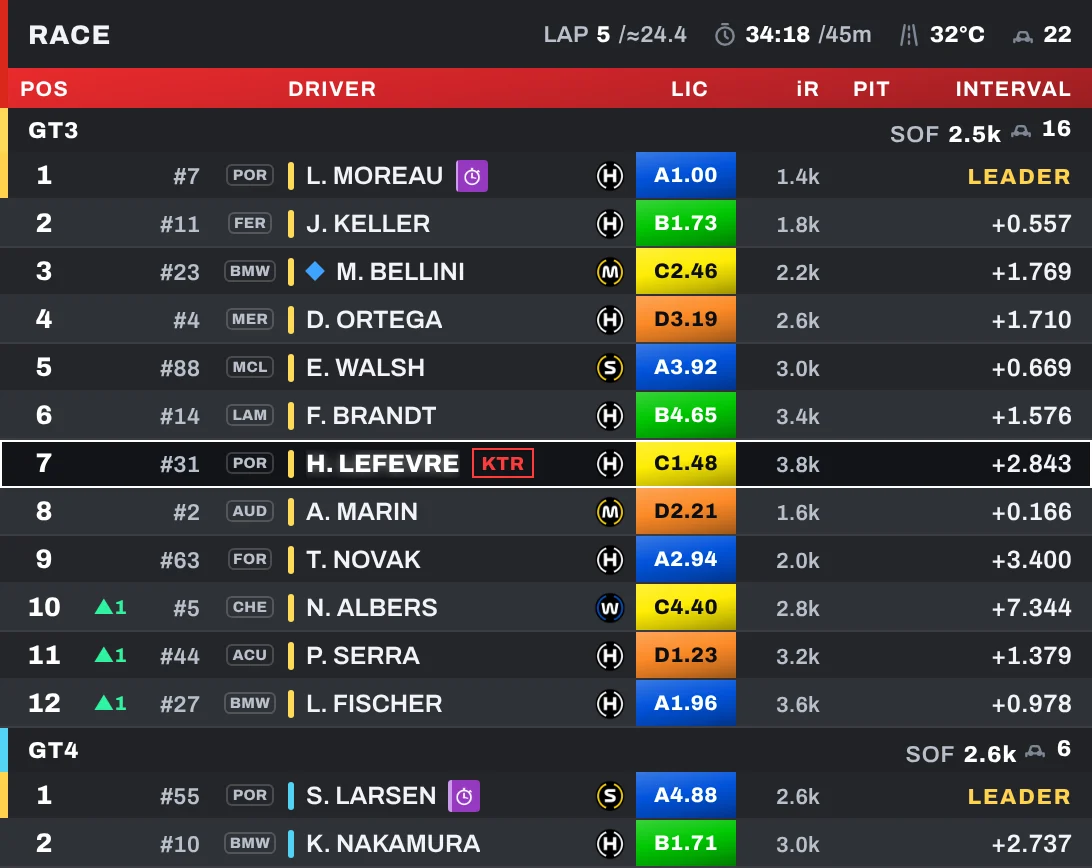
TV-style leaderboard with one block per class, licence, iRating and projected change, tyres, lap times, pit stops and overtake animation.
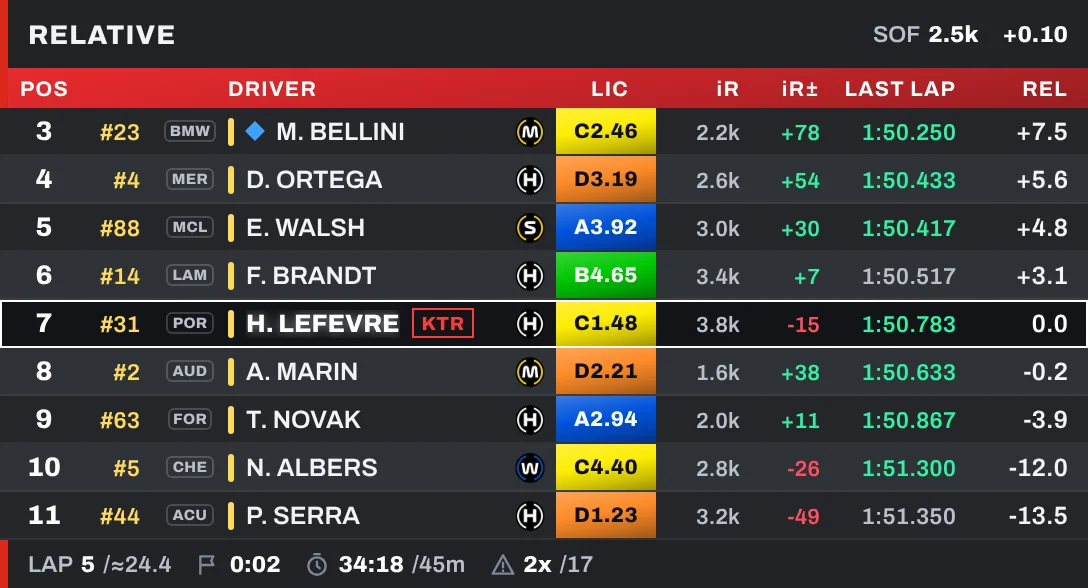
The cars around you with relative time, lapped and lapping cars in colour, class positions and session info in the header and footer.
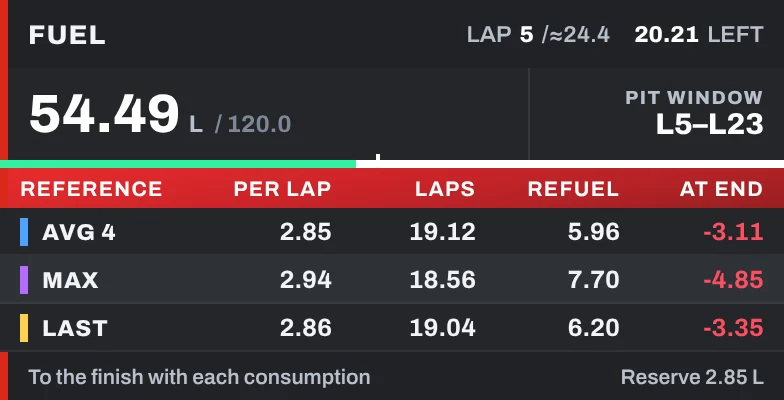
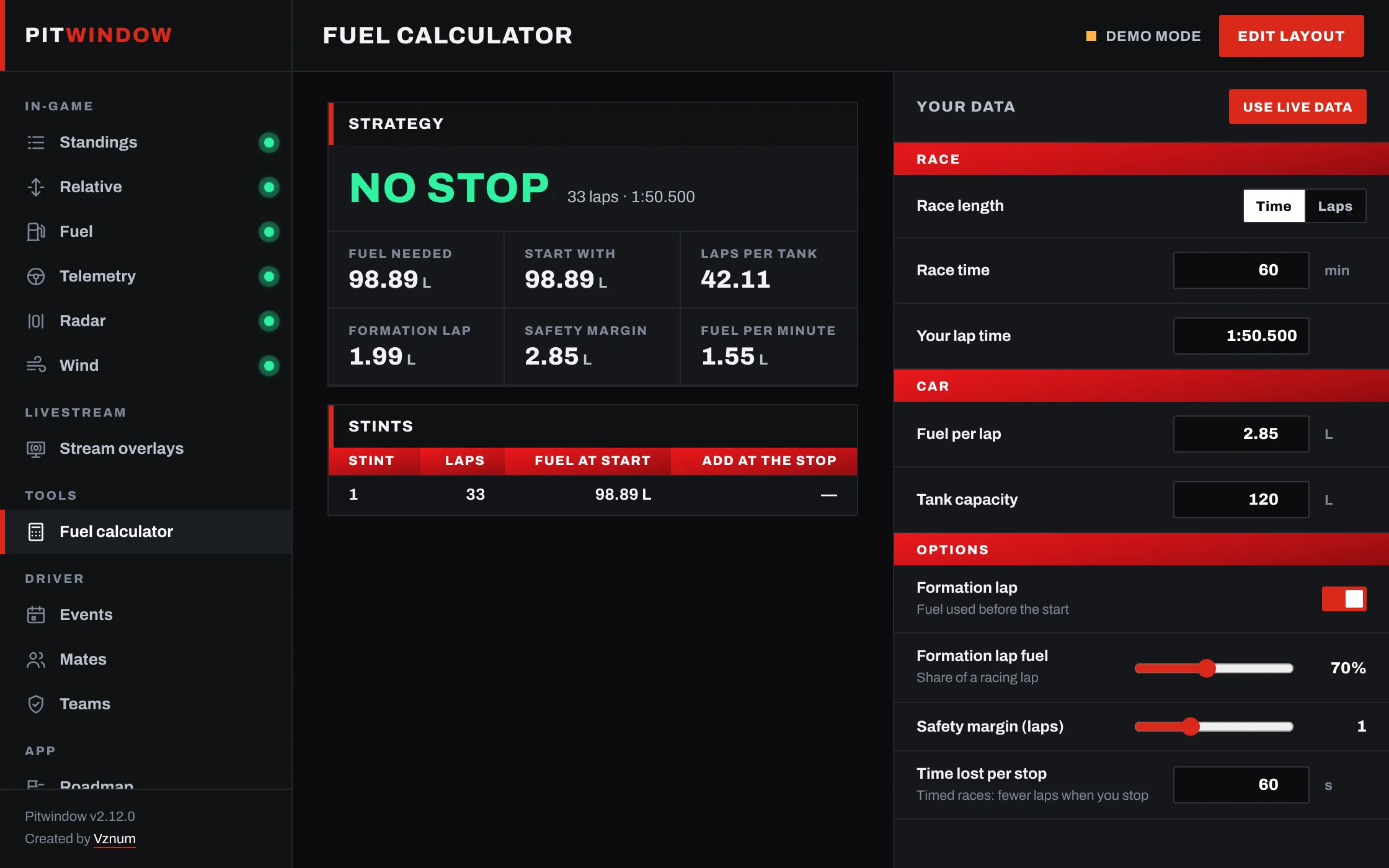
Pit window and, for your average, highest and last lap: fuel per lap, laps of fuel, fuel to add and what is left at the flag.
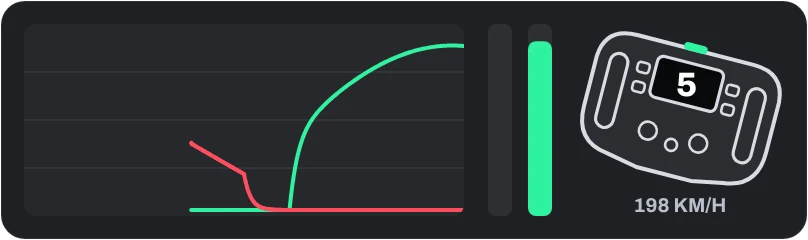
Throttle and brake trace with ABS, pedal bars, optional clutch and a steering wheel that turns with yours.

Blind-spot bars beside your car that light up when someone is alongside, in the colours you choose.
Wind direction relative to your car and its speed, in km/h or mph, with the colour you like.
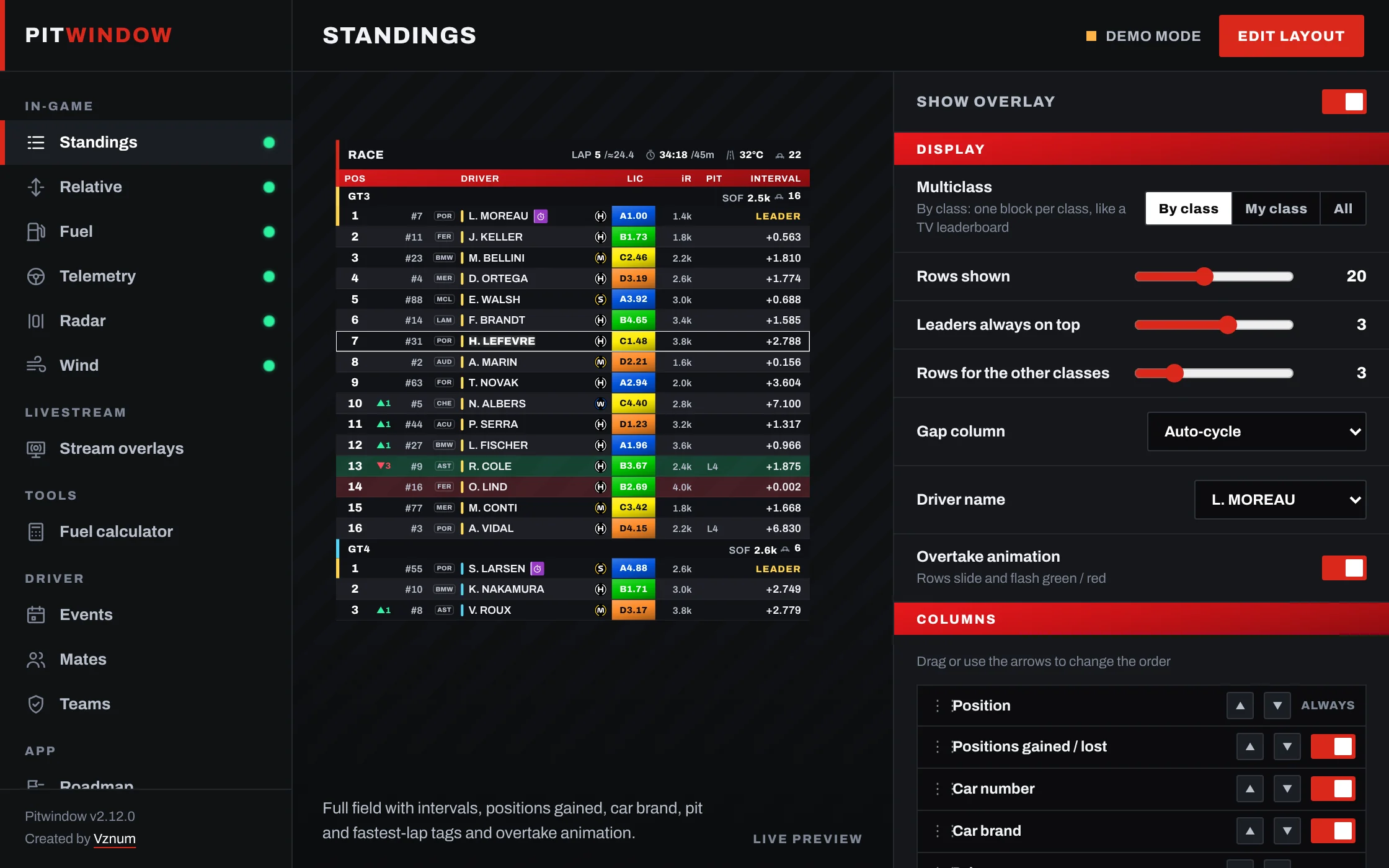
Every overlay works in OBS or any streaming app as a Browser Source, live and with the same settings as in-game.
Stops, starting fuel, every stint and what to add at each stop. Fills itself from your session.
The iRacing special events with a countdown and a NEW badge when the next ones are announced.
Mark the drivers you know and spot them at a glance in Standings and Relative.
Your team tag next to every teammate. Share a code and the whole team is set up.
Upcoming iRacing special events and what is coming to Pitwindow. Send your ideas from the app.
Yes. Pitwindow is new and not yet signed with a paid certificate, so Windows SmartScreen may say "Windows protected your PC". Click "More info" and then "Run anyway".
Run iRacing in borderless windowed mode so the overlays can be drawn on top of the sim.
Press Ctrl + Shift + G, drag them with the mouse and resize them with the wheel. Press it again to lock them.
Yes. Open Livestream in the app, copy the URL of each overlay and add it to OBS as a Browser Source.
No. Pitwindow only reads the data iRacing shares with apps, the same way every overlay does, and uses very little CPU.
Windows 10 / 11 · free · v2.13.0